Making graphics that look professional is not just for the experts with high-tech computers and skills anymore. In modern times, anyone can benefit from easily accessible designing tools that make the process very easy.
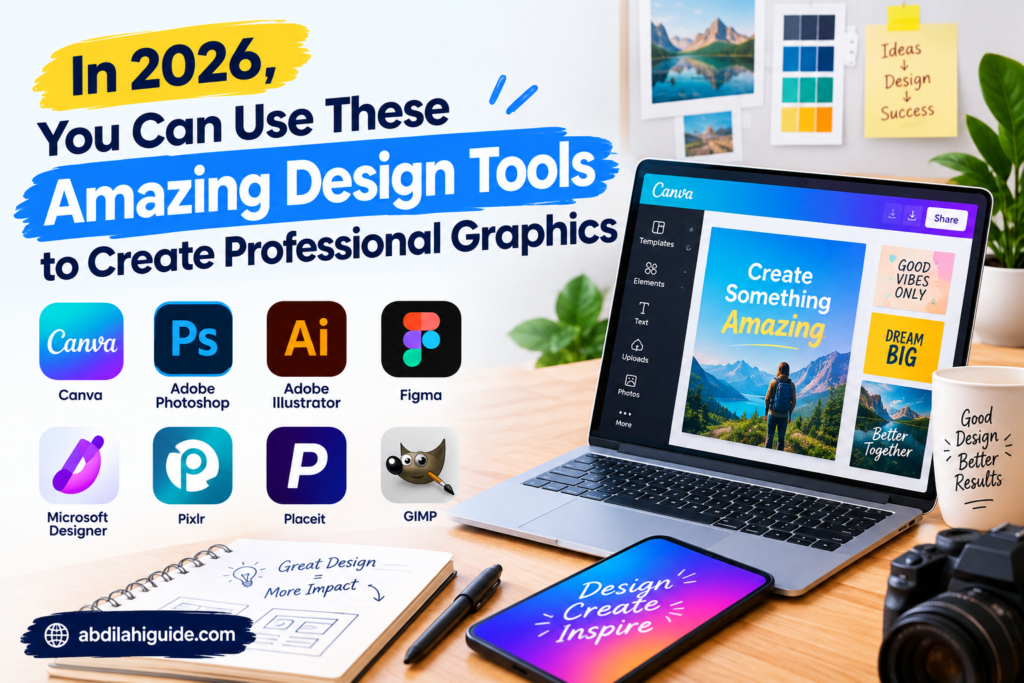
Whether you’re designing a logo for your company, creating visuals for social media, or working on a website and illustration project, the best design software can speed up your work. Here are some of the top design software tools in 2026 along with their uses.
What Are Design Tools?
Design tools are computer software tools or online platforms that assist users in designing, editing, organizing, and enhancing a visual piece. These programs can serve a multitude of purposes such as graphic art, illustration, photo retouching, web design, creating advertisements, and social media graphics.
Some design tools are suitable for amateurs and provide easy-to-use templates and drag & drop features, while others are developed for professional designers, enabling them to perform advanced features such as precise editing, vectorization, and layout design.
Your choice of tool depends upon your experience, particular project needs, available budget, and working style.
1. Canva
Canva is one of the most user-friendly design platforms available for making high-quality graphics without requiring professional design experience.
Canva offers templates and designs for social media posts, presentations, posters, flyers, logos, thumbnails, documents, and many more visuals. The drag-and-drop feature of Canva helps to easily place any design elements, such as text, graphics, shapes, and other components.
Canva is particularly beneficial for bloggers, small businesses, students, social media creators, and other companies needing to create visuals quickly.
2. Adobe Photoshop
Adobe Photoshop has gained recognition as a prominent application for image editing and graphic design. Its advanced options give users thorough control over tasks such as photo manipulation, composition and production of graphics.
Adobe Photoshop can benefit users who want more control over their work than the simple template-based design software can provide. When it comes to photo editing or design advertising graphics, website images or social media graphics.
Since Photoshop has so many features to offer, it’s quite normal for inexperienced users to take a little time to explore the program and learn the basic principles of using the software.
3. Adobe Illustrator
The main purpose of Adobe Illustrator is to create vector images. Consequently, vector graphics can be scaled while maintaining their quality, which is necessary for creating logos, icons, drawings, and many different designs.
Moreover, Illustrator provides a range of tools for creating drawings, affecting the quality of designs created in Illustrator.
The main disadvantage of Illustrator is the fact that it may be less user-friendly for beginners compared to other online platform options.
4. Figma
Figma is a web-based interface and user experience design application. The software gives creators the ability to make various website, mobile app, and other digital product designs.
Another advantages of Figma is that collaboration is made easier through Figma because different parties can collaborate on the same project.
Also, Figma can assist designers in obtaining prototypes of how the output would work in real life before they even start with the final product realization.
5. Affinity Designer
Affinity Designer is a different choice for generating vector graphics, graphic designs, logos, and other graphical items. The application aims to give users the features of professional-grade software while avoiding the use of subscription models.
The program has a wealth of features that let users do vector art, typography, create shapes, and edit images in elaborate ways. This software is handy for graphic designers who prefer to work in an advanced desktop environment.
6. Adobe Express
Adobe Express is intended for users who want to make visual content quickly. It offers templates and streamlined features for creating content like social media images, flyers, presentations, clips, and marketing materials.
While compared to more sophisticated versions of Adobe, Adobe Express is much easier to use. This makes it useful for customers who do not require access to all the sophisticated features offered by the professional design software.
7. Sketch
Sketch is a design software mainly intended for crafting layouts and interfaces for digital products. It comprises the tools to design layouts, prototype, components, and various interface elements.
The tool can be useful for designers of websites and applications as it can provide an efficient system for the development of digital interfaces.
8. Inkscape
Inkscape is a free vector graphics program used for the creation of logos, symbols, images, maps, and other kinds of vector graphics.
The main benefit of Inkscape is that its software is available for free, unlike other commercial products. As a result, it is suitable for students, newbies, and anyone with a tight budget.
The interface of the software can be difficult to master at first, but the program has many valuable vector design tools.
How to Select the Best Design Tool
With the vast number of design tools available, selecting a tool can appear to be daunting. Ultimately, the choice depends on the intended project.
For Novices
If you are just starting with graphic design, then it is recommended to get a software that is simple to use and provides templates. For example, you may use Adobe Express or Canva, which provide resources for beginners to create their designs.
For Professional Graphic Design
Graphic designers interested in more complex editing and drawing functions would probably utilise programs like Photoshop or Illustrator.
For UI and UX Design
If your goal is to design website platforms or mobile applications, using applications such as Figma will be more ideal.
Knowing About Free Design Software
When looking for free programs, users can look at the option of Inkscape. Many students and beginners may find the availability of software for free to be especially ideal for developing design skills without spending a lot of money.
Things to Consider Regarding the Features of Design Tools
When deciding on design tools, users must think about the particular features that would be beneficial to their tasks.
When deciding on design tools, users must think about the particular features that would be beneficial to their tasks.
Prepared designs and templates/graphics Support for vector graphics Tools for editing photos Tools for typography Working together features Services for storing files Common file formats User-friendliness
It is important for you to check whether the tool will run on your computer or mobile device and whether you have compatible hardware.
Why Design Tools Matter in 2026
Visual content is now an integral part of websites, social media platforms, digital marketing, online businesses, and private activities. Companies require visual materials for promotions and advertising, while creators take advantage of visual content as a means of sending messages and engaging with their viewers.
Current design solutions also becoming more available. Solutions such as templates, cloud-based collaboration, automation, and AI assistance allow to cut the time required for completion of particular design activities.
Conclusion
Choosing the right design software is contingent on your individual requirements and proficiency. For example, someone who is just starting out will be better suited to basic applications that include templates, while experienced and professional designers may rely on more complex technology.
Adobe Express and Canva can help create visual content in no time, creators can use Photoshop and Illustrator for advanced creative purposes, Figma is tailored for digital interface designs, while Inkscape offers a free solution for vector graphics.
Don’t rely simply on how popular a software program is before selecting it. Look at the kind of projects you undertake, the features you require, your affordability, and your level of comfort with the user interface. Good design software may streamline your work processes and turn your imaginative idea into beautifully finished products.
also there is another apps you can can use so that help you save alot of your time easily https://abdilahiguide.com/best-video-and-photo-editing-software/