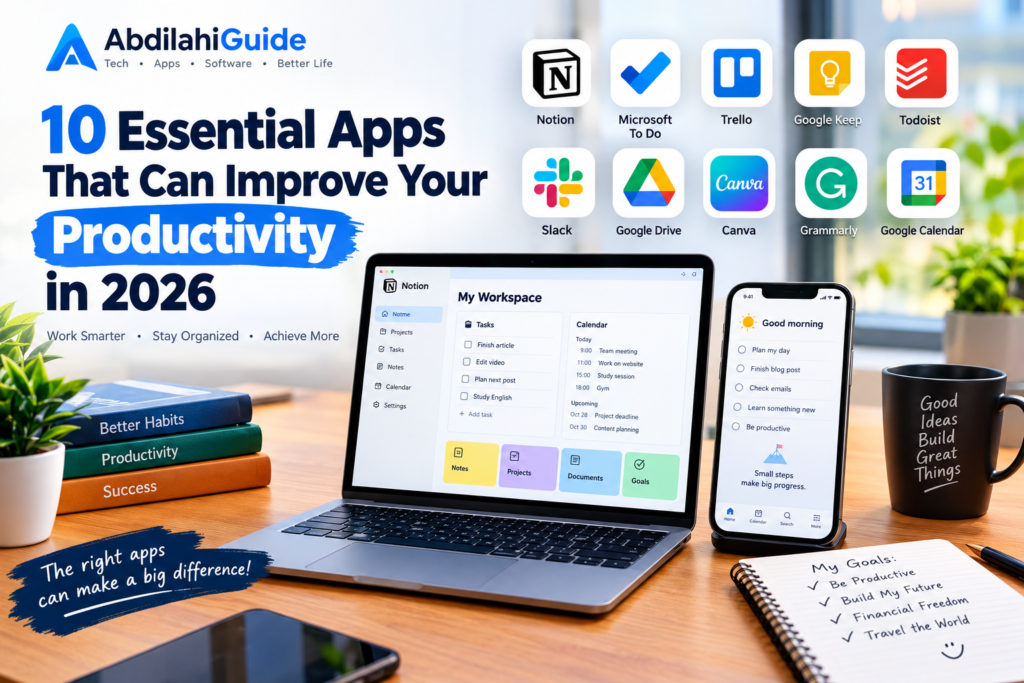
staying productive is not only about working harder. It is also about using the right tools to manage your time, for this particular content am gonna share with you 10 Essential Apps That Can Improve Your Productivity in 2026organize your tasks, communicate effectively, and reduce unnecessary distractions.
Whether you are a student, freelancer, content creator, entrepreneur, or remote worker, the right productivity apps can make everyday tasks easier and more organized.
In this article, we explore 10 essential apps that can help improve your productivity in 2026, from task management and note-taking to communication, file storage, and time management.
1. Notion (10 Essential Apps That Can Improve Your Productivity in 2026)
Notion is an all-in-one workspace that combines notes, task management, databases, project planning, and documentation in one platform.
You can use Notion to create personal to-do lists, organize projects, plan content, take notes, and manage information.
Key Features
- Notes and document creation
- Task and project management
- Custom databases
- Templates
- Team collaboration
- Calendar and planning tools
Notion can be particularly useful for people who want to keep different types of information organized in one place.
2. Microsoft To Do
Microsoft To Do is a simple task-management application designed to help users organize their daily responsibilities.
You can create separate lists for work, school, personal activities, shopping, or other tasks. The app also allows you to set reminders and due dates.
Key Features
- Daily task lists
- Reminders
- Due dates
- Recurring tasks
- Task organization
- Synchronization across devices
If you prefer a simple productivity system without too many complicated features, Microsoft To Do can be a useful option.
3. Trello
Trello uses boards, lists, and cards to help users organize projects visually.
For example, you can create a board for a website project and divide it into sections such as Ideas, In Progress, and Completed.
Key Features
- Visual project boards
- Task cards
- Checklists
- Due dates
- Team collaboration
- Workflow organization
Trello can be especially helpful for freelancers, small teams, content creators, and people managing multiple projects.
4. Google Keep
Google Keep is a lightweight note-taking application that allows you to quickly save ideas, reminders, lists, and important information.
Because it is designed for quick note-taking, it can be useful when you need to capture an idea without opening a complicated workspace.
Key Features
- Quick notes
- Checklists
- Voice notes
- Reminders
- Labels
- Synchronization across devices
For example, if you suddenly think of an idea for a blog article, you can save it in Google Keep and return to it later.
5. Todoist
Todoist is a popular task-management application focused on organizing tasks and building better productivity habits.
Users can create projects, assign priorities, add deadlines, and organize tasks using different categories.
Key Features
- Task management
- Priority levels
- Due dates
- Recurring tasks
- Project organization
- Productivity tracking
Todoist can be useful if you have many responsibilities and want a structured way to keep track of them.
6. Slack
Slack is a communication and collaboration platform designed primarily for teams and organizations.
Instead of relying entirely on email for internal communication, teams can create channels for different projects, departments, or topics.
Key Features for 10 Essential Productivity Apps 2026
- Team messaging
- Channels
- File sharing
- Search
- Notifications
- Integration with other services
Slack can help teams keep project-related conversations organized and reduce the need for long email conversations.
7. Google Drive
Google Drive is a cloud storage service that allows users to store, access, and share files online.
It can be useful for students, businesses, freelancers, and anyone who works with documents, spreadsheets, presentations, images, or other digital files.
Key Features
- Cloud file storage
- File sharing
- Document collaboration
- Automatic synchronization
- Integration with Google Workspace
- Access from multiple devices
One of the major advantages of cloud storage is that your important files do not have to remain on a single computer.
8. Canva
Canva is a design platform that makes it easier to create visual content without requiring advanced graphic-design skills.
Users can create social media posts, presentations, thumbnails, posters, documents, and many other types of visual content.
Key Features
- Design templates
- Presentations
- Social media graphics
- Photo editing
- Video creation
- Collaboration tools
For content creators and small businesses, Canva can help speed up the process of creating professional-looking visual content.
9. Grammarly
Grammarly is a writing assistant that can help users identify grammar, spelling, punctuation, and style issues.
It can be useful when writing emails, articles, social media posts, reports, or other professional content.
Key Features
- Grammar checking
- Spelling suggestions
- Writing improvements
- Clarity suggestions
- Tone-related feedback
- Browser and app integrations
A writing assistant can save time by identifying common mistakes before you publish or send your content.
10. Google Calendar
Google Calendar is a scheduling and time-management tool that can help you organize appointments, meetings, deadlines, and personal activities.
Instead of keeping important dates in your memory, you can create events and reminders so that you know what needs to happen and when.
Key Features
- Calendar events
- Reminders
- Recurring schedules
- Multiple calendars
- Event sharing
- Cross-device synchronization
Using a calendar consistently can make it easier to manage your time and avoid missing important deadlines.
How to Choose the Right Productivity App
There is no single productivity app that works perfectly for everyone. The best choice depends on how you work and what you are trying to accomplish.
Before installing a new app, consider the following questions:
What problem are you trying to solve?
If you frequently forget tasks, a task-management app may be more useful than a note-taking application.
Do you need collaboration?
If you work with other people, look for applications that support file sharing, communication, and collaboration.
Do you work across multiple devices?
Cloud-based applications can be useful if you regularly switch between a computer, tablet, and smartphone.
Is the app easy to use?
A productivity tool should make your workflow easier, not create additional complexity. If an application has too many unnecessary features, a simpler alternative may work better.
Tips for Getting More From Productivity Apps
Installing productivity applications is only the beginning. The way you use them is often more important than the number of apps you have.
Here are a few simple strategies:
1. Avoid using too many apps.
Choose a small number of tools that solve your actual problems.
2. Organize your tasks regularly.
Spend a few minutes each day reviewing unfinished tasks and upcoming deadlines.
3. Turn off unnecessary notifications.
Constant notifications can interrupt your concentration and make it harder to complete important work.
4. Create a simple workflow.
For example, you could use one app for tasks, one for notes, and one for storing files.
5. Review your productivity system.
If an app is making your workflow more complicated, consider changing how you use it or trying a simpler solution.
Final Thoughts
Productivity is not simply about completing more tasks. It is about using your time and attention effectively.
Apps such as Notion, Microsoft To Do, Trello, Google Keep, Todoist, Slack, Google Drive, Canva, Grammarly, and Google Calendar can help with different parts of your digital workflow.
However, you do not need to use all ten. Start with the tools that solve your biggest problems, keep your workflow simple, and focus on using those tools consistently.
As technology continues to develop in 2026, productivity software will continue to evolve. The most useful approach is to choose tools that fit your individual needs rather than downloading every new app you discover.
Frequently Asked Questions
What is the best productivity app for beginners?
There is no single best option for everyone. Beginners may prefer simple tools such as Microsoft To Do, Google Keep, or Google Calendar because they are relatively straightforward to use.
Can productivity apps really save time?
They can help reduce the time spent organizing tasks, searching for information, managing schedules, and communicating with others. However, their effectiveness depends on how consistently and efficiently you use them.
Should I use multiple productivity apps?
You can, but using too many applications may make your workflow more complicated. It is generally better to use a small collection of tools that each have a clear purpose.
Are productivity apps useful for students?
Yes. Students can use productivity apps to organize assignments, create study schedules, take notes, manage deadlines, and store educational materials.
Are productivity apps useful for small businesses?
Yes. Small businesses can use productivity software for project management, team communication, document storage, scheduling, content creation, and other everyday activities.
What should I look for in a productivity app?
Consider ease of use, available features, compatibility with your devices, collaboration options, security, pricing, and whether the app actually solves a problem in your workflow.
also there is another apps you can can use so that help you save alot of your time easily https://abdilahiguide.com/10-best-productivity-apps-to-save-time-and-get-more-done-in-2026/
One Response