
Technology has changed the way we work, study, communicate, and manage everyday tasks. Today, there are thousands of software applications designed to help people save time, stay organized, create content, and complete tasks more efficiently.
However, having too many apps can sometimes make things more complicated. The goal is not to use every new application you find, but to choose tools that solve real problems and fit the way you work.
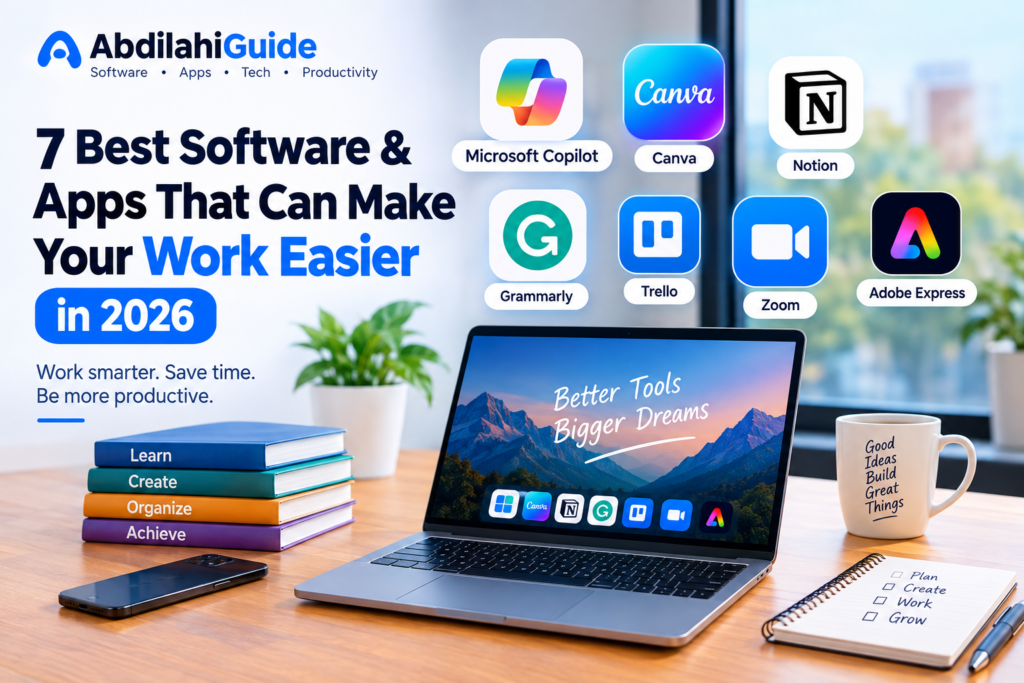
In this article, we look at 7 useful software and apps that can make your work easier in 2026, including AI assistants, design tools, productivity platforms, and communication software.
1. Microsoft Copilot
Best for: AI assistance, writing, research, documents, and everyday productivity
Microsoft Copilot has become an important part of Microsoft’s productivity ecosystem. It can help users write content, summarize information, analyze data, create presentations, and work with Microsoft 365 applications.
In 2026, Microsoft has continued expanding Copilot with deeper integration across Word, Excel, PowerPoint, and other Microsoft services. Microsoft also introduced new Copilot capabilities called Home, Code, and Autopilot, designed to bring AI-powered work, automation, and application development together in one experience.
For example, someone working on a report can use Copilot to help create a first draft. A user working with spreadsheets can ask Copilot to analyze information or help modify a workbook.
Why it can be useful
- Helps with writing and editing
- Can summarize information
- Works with Microsoft 365 applications
- Can assist with data analysis
- Can help users automate certain tasks
- Provides AI assistance without requiring advanced technical skills
Microsoft has also expanded Copilot’s ability to perform actions directly inside Word, Excel, and PowerPoint, allowing users to move from an idea to a finished document more efficiently.
Best for: Students, office workers, business owners, researchers, and content creators.
2. Canva
Best for: Graphic design, presentations, social media content, and visual projects
You do not need to be a professional designer to create attractive graphics. Canva is one of the most accessible design platforms for beginners and experienced creators.
You can use Canva to create:
- Social media posts
- YouTube thumbnails
- Presentations
- Posters
- Flyers
- Resumes
- Logos
- Videos
- Marketing materials
Canva has also been expanding its AI capabilities. In 2026, Canva introduced Canva AI 2.0, which allows users to start with an idea or prompt and generate editable designs. Canva says the system can create layered, editable output rather than simply producing a flat image.
This can make the design process faster, particularly for people who need to create content regularly.
Why it can be useful
Canva combines design tools, templates, AI features, and content creation features in one platform. This means a small business owner or content creator may not need several different applications for basic visual work.
Best for: Content creators, students, marketers, small businesses, and beginners in graphic design.
3. Notion
Best for: Notes, project management, organization, and personal productivity
Notion is designed to bring different types of work into one workspace.
Instead of keeping notes in one application, tasks in another, and project information somewhere else, you can organize many of these things inside Notion.
You can create:
- To-do lists
- Project boards
- Notes
- Content calendars
- Databases
- Study plans
- Business documentation
- Personal planners
For example, a content creator could create a content calendar in Notion and use it to track article ideas, writing progress, publishing dates, and completed posts.
Why it can be useful
One of the biggest advantages of an organized workspace is reducing the amount of information scattered across different applications.
If you regularly work on multiple projects, Notion can provide a central place to organize your information.
Best for: Students, content creators, freelancers, teams, and people who want better organization.
4. Grammarly
Best for: Writing, grammar, spelling, and improving clarity
Writing professional English can be difficult, especially if English is not your first language.
Grammarly is a writing assistant that can help identify grammar, spelling, punctuation, and style issues while you write.
It can be useful when creating:
- Blog articles
- Emails
- Reports
- Social media posts
- Business documents
- School assignments
Instead of waiting until you finish an entire document before checking your writing, tools like Grammarly can provide suggestions while you work.
Why it can be useful
Good writing is not only about avoiding spelling mistakes. Clear sentence structure and appropriate tone can make information easier to understand.
For bloggers and online businesses, improving writing quality can also make website content appear more professional.
Best for: Students, bloggers, freelancers, professionals, and people learning English.
5. Trello
Best for: Project management and task organization
When you have many tasks to complete, it can be difficult to remember what needs to be done and when.
Trello uses boards, lists, and cards to help users organize projects visually.
For example, you could create a board with three columns:
Ideas → In Progress → Completed
Each task can then be represented by a card that moves between the columns as your work progresses.
Why it can be useful
Trello can make complicated projects easier to understand because you can see the status of your tasks at a glance.
A blogger, for example, could create cards for every article they plan to publish and move each card from an idea to writing, editing, and finally published.
Best for: Freelancers, students, content creators, small teams, and project managers.
6. Zoom
Best for: Online meetings, classes, and communication
Remote work and online learning have made video-conferencing software an important part of modern work.
Zoom allows people to communicate through video meetings, voice calls, screen sharing, and other collaboration features.
You can use it for:
- Online classes
- Business meetings
- Job interviews
- Client meetings
- Team discussions
- Online training
For people working with teams in different countries, video-conferencing software can make communication much easier.
Why it can be useful
Instead of traveling to attend every meeting, participants can communicate online from almost anywhere with a suitable internet connection.
Best for: Remote workers, businesses, teachers, students, and online communities.
7. Adobe Express
Best for: Quick graphic design, social media content, and marketing materials
Adobe Express is another useful option for people who want to create visual content without using more complicated professional design software.
It can be used for creating:
- Social media graphics
- Flyers
- Posters
- Videos
- Presentations
- Promotional content
- Simple marketing designs
Adobe Express can be particularly useful for small businesses and creators who need to produce content quickly.
Microsoft has also highlighted Adobe Express as one of the applications that can connect with Microsoft 365 Copilot through its broader ecosystem of business-app integrations.
Why it can be useful
Adobe Express combines quick design tools with Adobe’s broader creative ecosystem, making it an option for users who want simple content creation without immediately moving into more advanced Adobe applications.
Best for: Content creators, marketers, students, small businesses, and beginners.
Which Software Should You Choose?
The best software depends on what you are trying to accomplish.
| Your Need | Recommended Tool |
|---|---|
| AI assistance | Microsoft Copilot |
| Graphic design | Canva |
| Notes and organization | Notion |
| Writing improvement | Grammarly |
| Project management | Trello |
| Online meetings | Zoom |
| Quick graphic design | Adobe Express |
You do not need to install all seven applications. Start with the tools that solve your biggest problems.
For example, a student might benefit from Microsoft Copilot, Notion, and Grammarly, while a content creator might find Canva, Adobe Express, Notion, and Copilot more useful.
Final Thoughts
Software can make everyday work easier, but the most important thing is choosing the right tools for your specific needs.
AI assistants such as Microsoft Copilot are becoming more integrated into everyday workflows, while design platforms such as Canva are using AI to make content creation easier. At the same time, productivity tools such as Notion and Trello can help users organize information and projects.
The software landscape will continue to change throughout 2026. New features, AI capabilities, and integrations are being introduced regularly, so it is worth checking whether the tools you already use have new features that could save you time.
Ultimately, the best software is not necessarily the one with the most features. It is the one that helps you save time, stay organized, and get your work done more effectively.
Frequently Asked Questions
What is the best software for productivity in 2026?
There is no single software that is best for everyone. Microsoft Copilot, Notion, and Trello can each help with different types of productivity tasks.
Which software is best for graphic design beginners?
Canva and Adobe Express are both designed to make graphic design more accessible to beginners.
Can AI software replace human workers?
AI software can automate or assist with many tasks, but users still need to review outputs, make decisions, and provide appropriate direction. The role of AI differs depending on the job and the specific software.
Should I use paid or free software?
Free versions can be enough for basic tasks. Paid plans may provide additional features, storage, AI capabilities, or collaboration tools. Consider what you actually need before paying for an upgrade.
How often should I update my software?
Keeping software updated can provide new features, bug fixes, security improvements, and compatibility updates. When possible, use the latest supported version.